

In the "Event API" tab, you'll find all the relevant information that you need to use the API in order to synchronise event data.
With the guestoo API you have accesss to event and guest data.
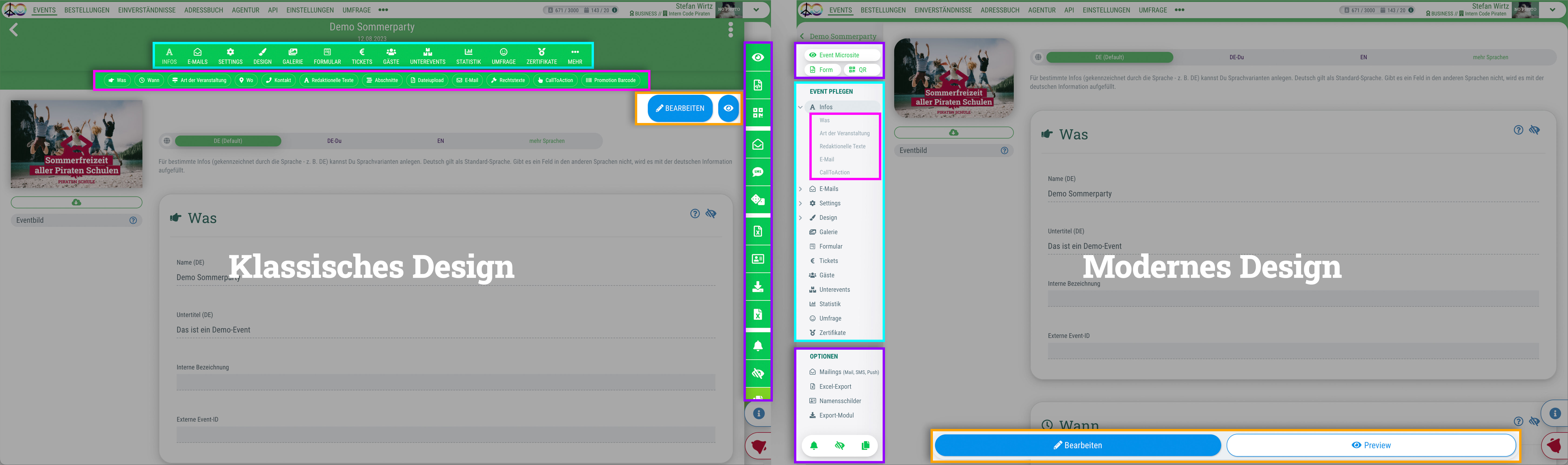 Du kannst für das guestoo Back-End zwischen zwei Darstellungsoptionen wählen. Die Screenshots in der Doku basieren auf dem "Klassischen Design".
In the "Event API" tab, you'll find all the relevant information that you need to use the API in order to synchronise event data.
In the "Guest API" tab, you'll find all the relevant information that you need to use the API in order to synchronise guest data.
In the "API User" tab, you'll find an overview of the information that you need as the access data for the API interface. Authentication is possible either via OAuth or via a Token.
If you are unsure where to enter this information, it is best to consult a developer or IT representative.
Before you're able to establish a connection to the API, you'll have to create an API user for this purpose.
This is how:
If you click on the “Refresh” button under a user, the client secret or token will be generated again. It will then no longer be possible to access the API with the old access data!
By clicking on the “Deactivate” button, you can deactivate a user's API access. API calls will then no longer be possible! You can reactivate the API user at a later date by clicking on the “Activate” button below the user.
By clicking on the “Delete” button, you can permanently delete a user's API access. It will then no longer be possible to access the API!