Double opt-in email Optional - When a guest has registered and the registration needs to be confirmed

Double opt-in email

Optional - When a guest has registered and the registration needs to be confirmed

If the double opt-in procedure is active for event registration, the guest must confirm their registration again via a link in an automated email they receive from guestoo.

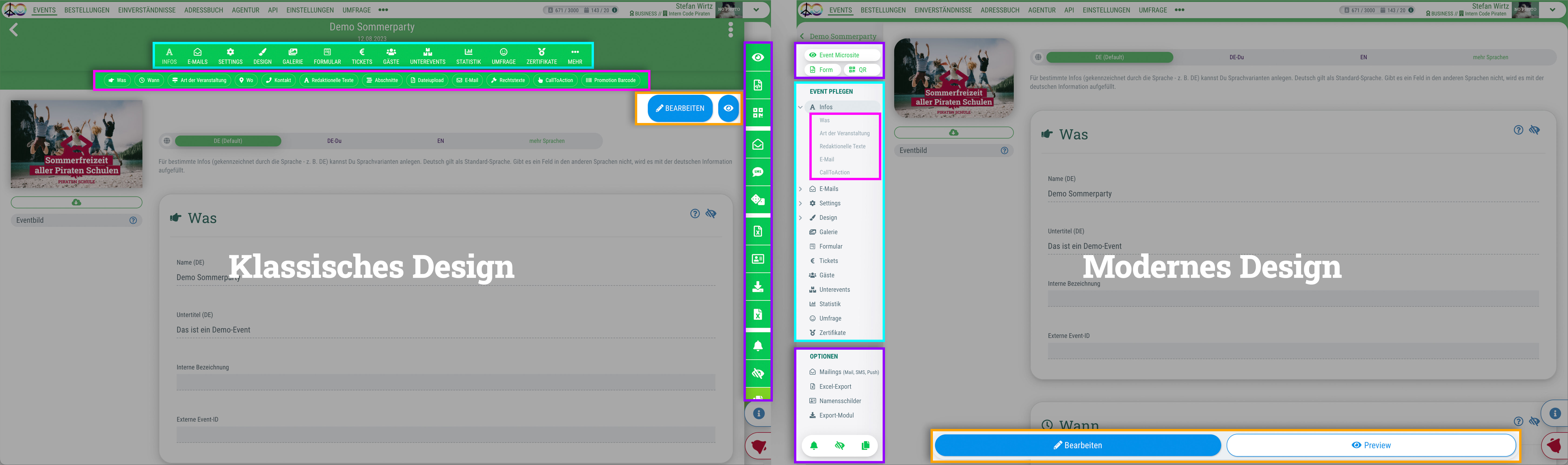
Du kannst für das guestoo Back-End zwischen zwei Darstellungsoptionen wählen. Die Screenshots in der Doku basieren auf dem "Klassischen Design".
Hier siehst Du die Unterschiede, damit Du dich auch im "Modernen Design" zurecht findest: » guestoo Back-End-Design


Inhalte dieser Seite:

When

When will this email be sent to your guests?

This email is sent when you confirm a guest's participation via guestoo (manually or automatically).

Tip: If you set a guest to “Confirmed” outside of the workflow, you must trigger the confirmation email manually. You can do this via the gear icon to the right of the guest in the guest list.

Content

What's in the email and where you can edit the content

The double opt-in email contains the following information:


Design

How to customize the appearance of the email

You have the following options for quickly and easily customizing the appearance of the email:
Examples:

Here you can have a look at some examples.

Important: Some email programs may cause significant deviations.

Edit template

This is how you can edit the entire email template

You can edit certain parameters of the email using the options found under “Design” (see above). However, you also have the option of designing the template for your emails entirely yourself in HTML (provided you have booked the appropriate subscription plan/feature).

Under Agency > Email Templates you can find all default emails, their HTML code and the different placeholders that can be used for the template (e. g. Event image, main color etc.). Given the necessary knowledge, you can implement your own designs here.

Warning: If you use your own templates, you will no longer receive email template updates from guestoo, as your own code will be used instead of ours.


Test email

This is how you can test this email

Testing the DOI email is very easy:

  • Edit the text and design (see above)
  • Follow the steps explained here
  • Follow the link in the invitation email and register for the event
  • You will then receive the DOI email